Gather the team, make an event! Introducing the Event Kit (beta), a set of tools for zine events run by a team
Friday, September 25, 2026
Hello from the Zindies team!
This one is for anyone who has ever thought, "I'd like to put on a zine event."
Zine fests, zine fairs, a zine day along a shopping street. Someone finds a venue, asks makers to take part, spreads the word, and staffs the front desk on the day. None of that happens alone. One person has the idea, asks a few friends, and before long there is a "team". That is how most zine events begin.
Until now, though, Zindies had no place for that team. Events could only be hosted by a creator or a shop, so a committee or an organizing team had to contact us and have their event listed as an unofficial one.
So we have put together a set of tools for teams that run events. We call it the Event Kit, and we are starting with a beta. On screen, a team is called an organizer. (The word sounds a little grand, but it covers everything from a committee to a team of three.) This article walks through what the kit does, from the first idea to the next edition.
Once you have the idea, get a home for it
The Event Kit starts with an organizer. For now, the Zindies team creates the organizer and registers its first member.
If you will be that first member, sign up (or log in) to Zindies first, then send us a message from the contact form with the type "Event Kit application / request".
- Your team's name (if it is not decided yet, the name of the event is fine)
- What kind of event you want to hold, or already hold (with the URL of your website or social media, if you have one)
The account you are logged in with becomes the first member. Other members can be added later from within the team.
Once the organizer is created, the member receives an email. From then on, the organizer's page is available from the menu at the top right and from your dashboard.
We have these teams in mind:
- Committees for zine events in a shopping street or a neighborhood
- Organizing teams for markets, fests, and zine fairs
- Shops and creators holding an event outside their own shop or under a different name (a fest in a rented venue, for example)
On the other hand, a workshop or reading group run by a maker in person can still be registered as a creator, and an event a shop holds in its own space can still be registered as a shop. You can keep your creator or shop account and hold an organizer alongside it. Note that organizers can only hold events related to zines.
If you have already registered an event under a creator or shop name, it can be transferred to your organizer. Just ask us at the same time.
Gather the team
Once the first member is in, adding the rest is up to you. In "Organizer settings", enter the email address of someone already registered on Zindies. They will be notified. All members stand on equal footing: anyone can register and edit events, and anyone can add or remove members.
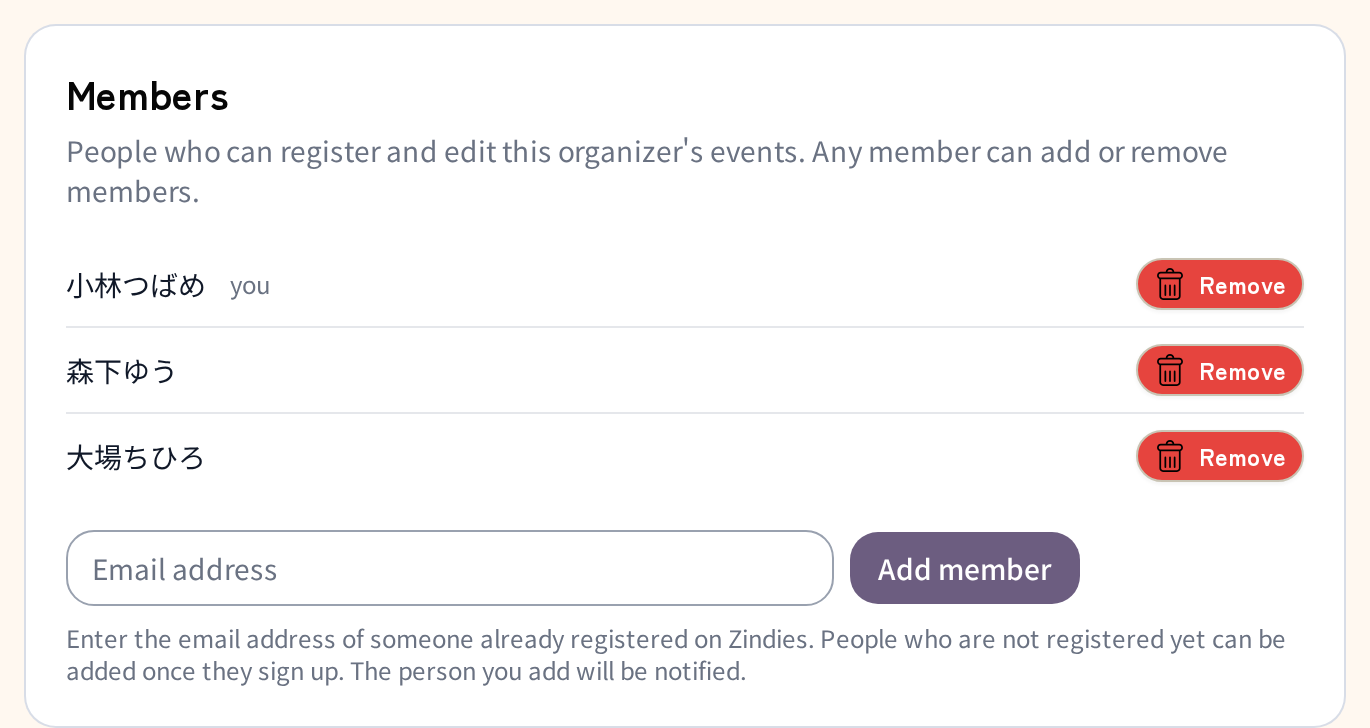
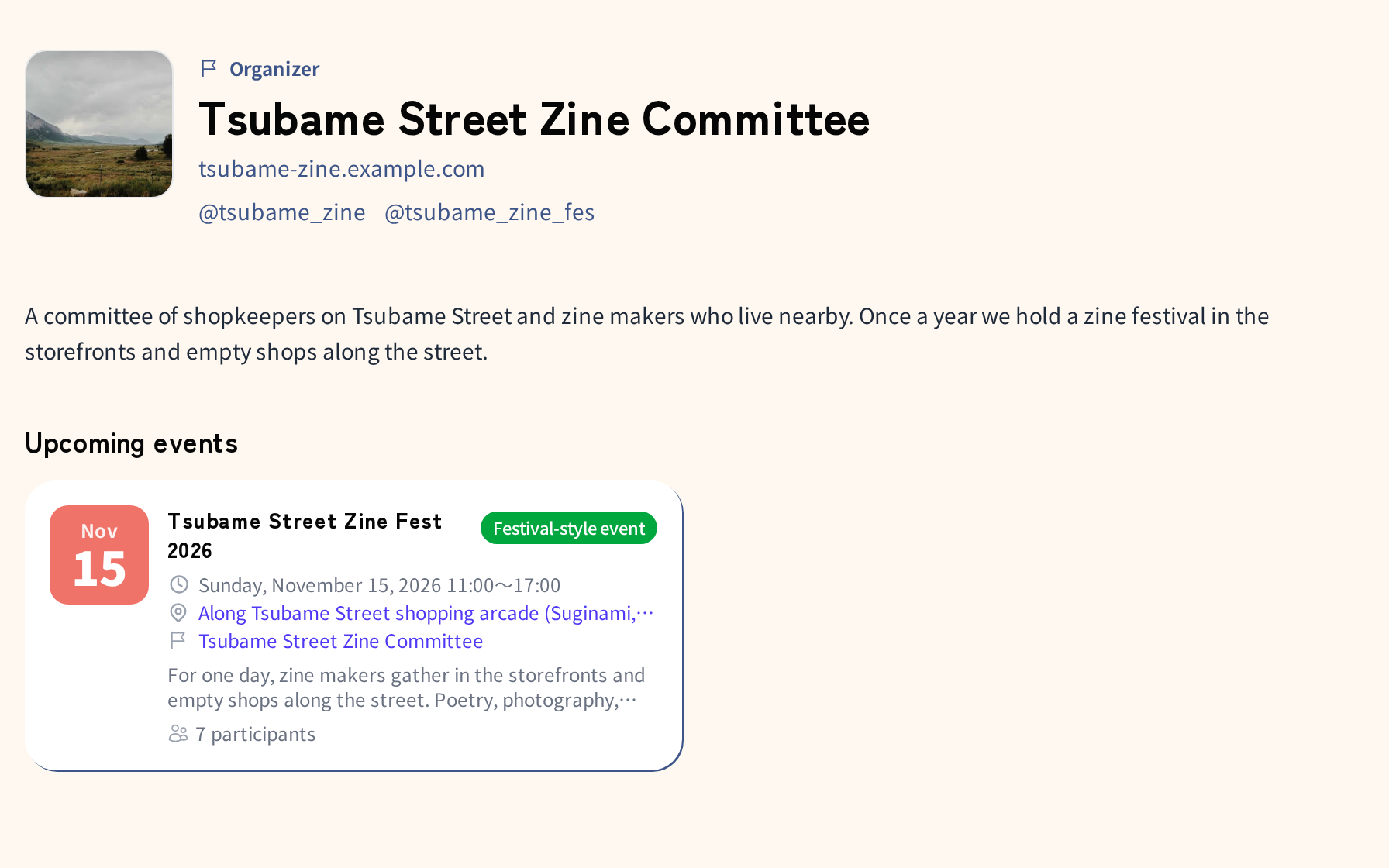
On the same screen, you can set the team's name, icon, and description, plus links to your website and social media. An organizer has a small public page with just these and its upcoming and past events. There are no works, shelves, or announcements. Most people who come to Zindies are looking for zine events, so the organizer page is kept small, as a doorway to the events rather than a homepage for the team.
Shape the event
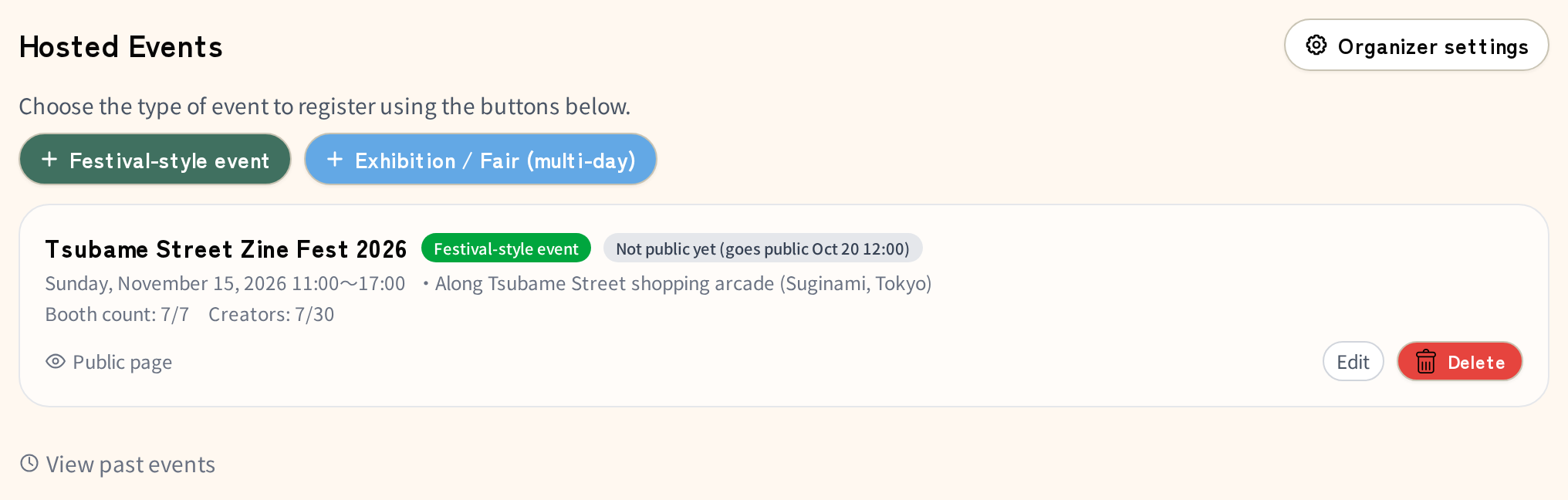
Register the event. It can be a one-day fest or an exhibition or fair with a longer run. The venue is free text, so an event spread across an area, like "along the XX shopping street", fits as it is. The map location is looked up from the venue field. If it does not come out right, add the address there too.
If you would rather not be seen while you are still working things out, set the publish date and time to a future date. Until then, neither the event page nor the listings are public. Only members of the organizer, exhibitors who have registered, and the Zindies team can preview it. Settle the contents and the exhibitors within the team, then open the announcement on the day you choose.
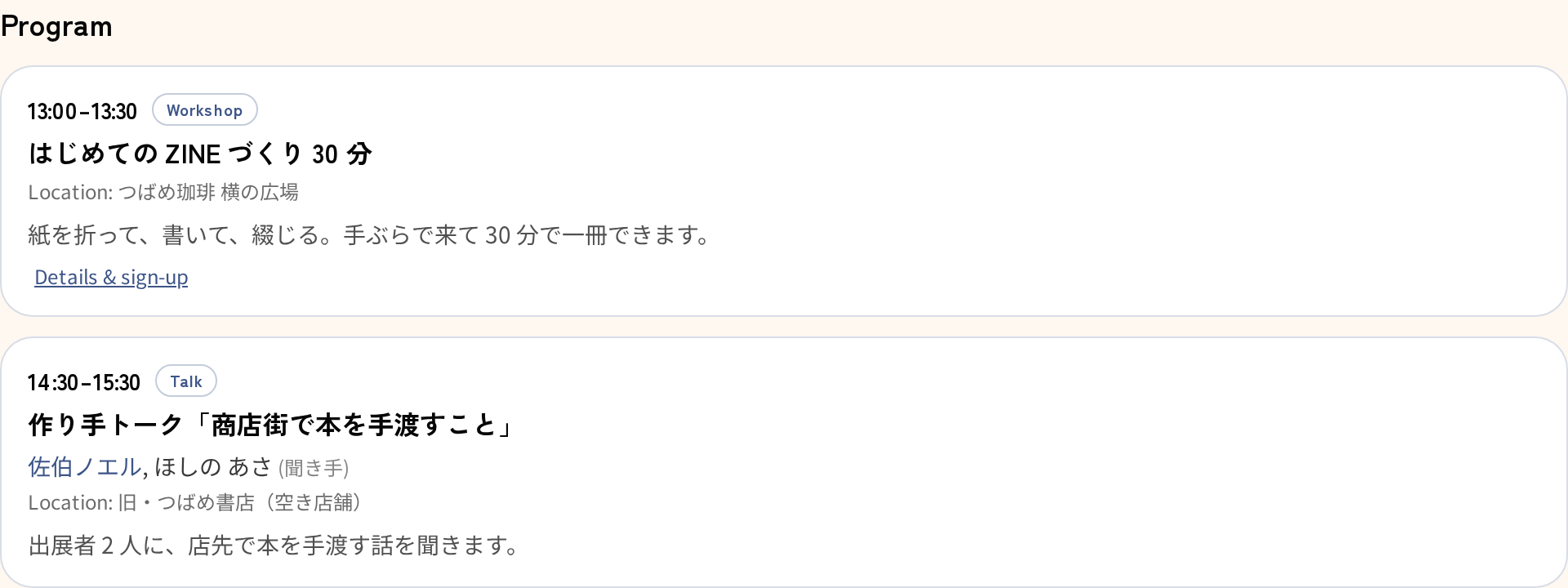
Inside an event, you may hold workshops or talks apart from the booths. These can be listed as programs. Instructors and speakers can be chosen from the exhibitors or written in by name. Zindies does not take bookings for programs; you list the URL where people can apply.
Gather exhibitors and visitors
Exhibitors are managed in the exhibitors list under the event's "Booths" settings. They do not need to be registered on Zindies yet. The organizer can write them in by name (one per line, several at once if you like). Their role, what they bring, and a photo can be added later with "Edit".
To have exhibitors register themselves, copy the exhibitor registration link at the bottom of the same screen and send it by email or DM. Whoever opens it signs up on Zindies as a creator and registers their booth right there. The link works before the publish date and even while registration from the event page is closed, so you can gather exhibitors before the announcement. Each registration notifies the organizer's members.
Exhibitors the organizer wrote in by name will find their own name waiting when they open the link. Pressing "Register here" makes that booth theirs.
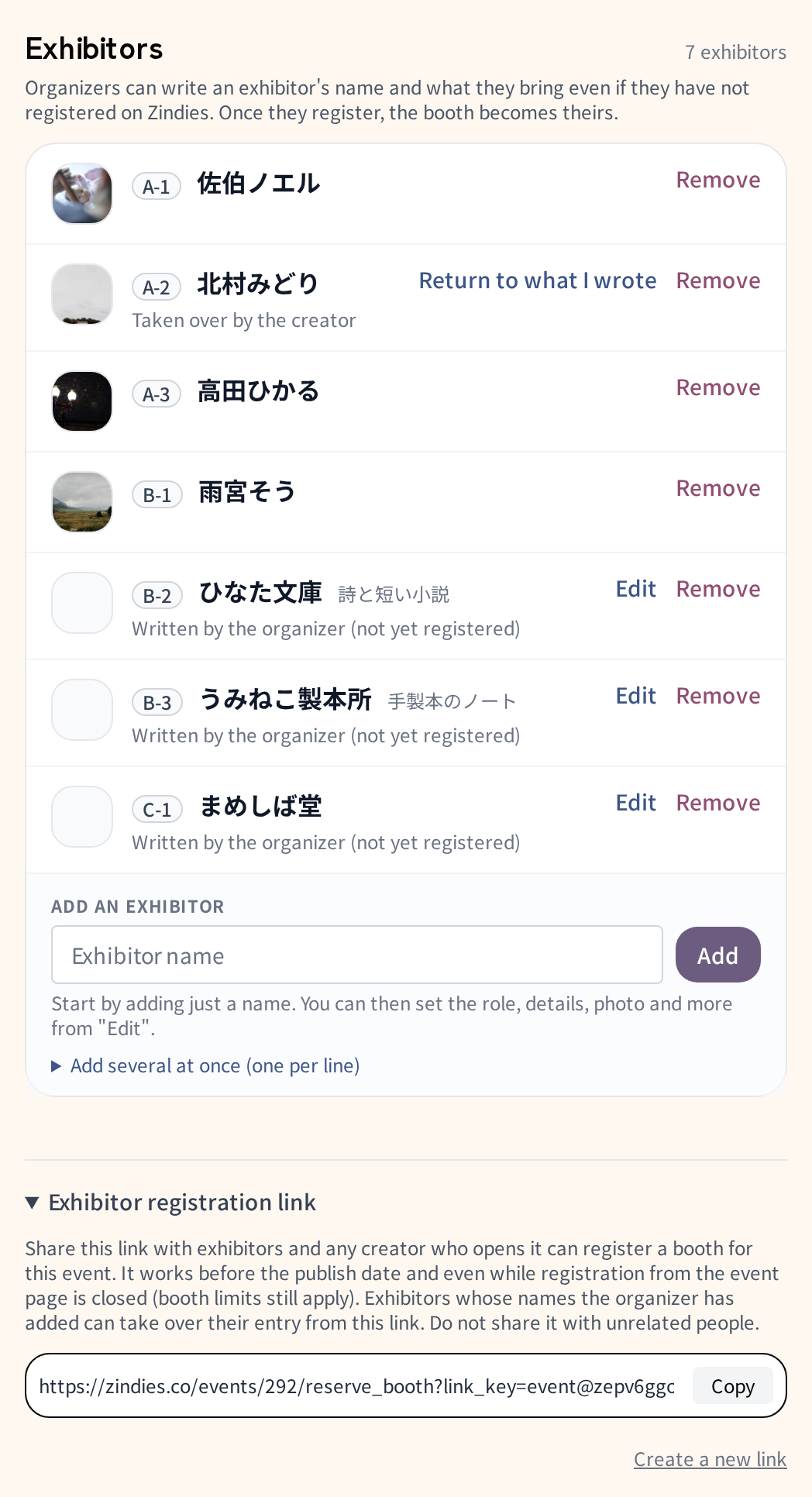
The registration link can be regenerated. The old link stops working, but booths already registered stay as they are.
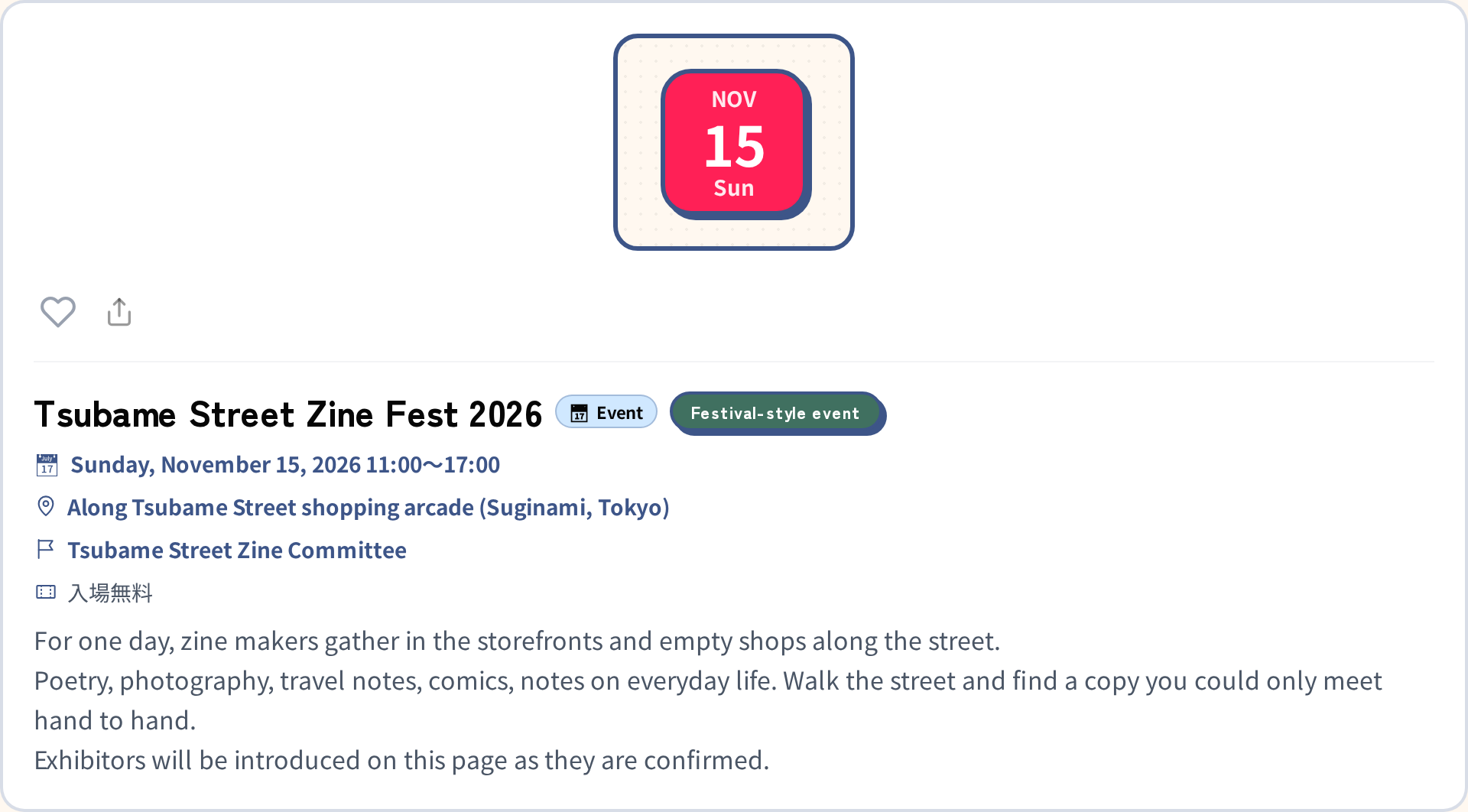
Once the publish date passes, the event page goes public and reaches readers who follow zine events in that area. You can save a share image for social media from the event page for your announcement. Visitors can sign up to attend straight from the event page.
Hold the event
As the day approaches, you can email exhibitors and attendees all at once: load-in times, the contact number for the day, a call on the weather. The text is delivered with automatic translations into English, Korean, and Traditional Chinese. You can send a test to yourself first.
On the morning of the event, exhibitors automatically receive a "Happening today" notice. Nothing for the organizer to do.
At the venue, print the exhibitors PDF (booth number, name, a short line, and a QR code to each booth page). Put it at the front desk, pin it to a wall, or hand it out.
Carry it into the next one
A finished event stays on the organizer's page under "Past events". The event page names the team as the host, and links to the team's other events. When you announce the next edition, the previous one sits right beside it.
Exhibitors keep a record too. Their creator page builds up a history of the events they have shown at. An exhibitor who was only written in by name, and later signs up on Zindies and takes over the booth, gets that history as their own.
For the next edition, "Duplicate" the previous event and start from the date.
When someone opens an event, makers and readers can meet in one place. We would be glad if Zindies could support a little of the arranging.
Questions we expect
How far does "a zine event" go?
If the event leads to making, selling (delivering), or reading zines, it counts. Zine fairs and fests, of course, and also a craft market or a general market with a row of zine booths in it. Not every exhibitor has to bring zines. An event with no zine booths at all, goods only, cannot be registered under an organizer (a shop holding one in its own space can register it as a shop event marked "not zine-related"). If in doubt, tell us about the event through the contact form.
Can Zindies collect booth fees or admission?
Not at the moment. Fees and admission stay between the organizer and the exhibitors and attendees, as before. What Zindies holds is the list of who is exhibiting and who is coming, and the means to reach them. If there is demand for collecting fees, we will consider it.
Do exhibiting creators and their works need to be registered on Zindies?
Yes. Only creators registered on Zindies appear as exhibitors on the event page, receive the emails and the day-of notice, and build up an exhibition history. Works shown on a booth page are also the ones creators registered themselves. An exhibitor the organizer only wrote in by name appears as a name on the page, and joins all of the above from the moment they sign up and take the booth over.
We would like to hear from you
The Event Kit is not finished. What you have read here is the set of tools ready today. If, while running an event, you find yourself thinking "this part was hard" or "this would help", please tell us through the contact form. We will keep filling it in, listening to the teams who use it.
Pricing
We hope to make the Event Kit a paid tool someday. When, and for how much, is not decided. There is one yardstick: has this tool reduced the work of putting on an event, and has the time it freed up gone into making the event more interesting? Until that can be said, it is free.
Events created during the beta will never be charged for afterwards.