Spotted a ZINE event? Tell us with just a URL
Friday, November 13, 2026
Hello from the Zindies team!
The event list on Zindies carries ZINE events from all over Japan. Zine fairs, reading groups, tanka gatherings, one-day happenings at small shops. The Zindies editorial team looks for them every day, but announcements are scattered across Instagram and note, and there are always some we cannot find on our own.
That is why we have long had a window called "Share an event". Whether it is an event you run yourself or an announcement you came across, it is the way to let the editorial team know.
The form we had until now, though, asked you to write out the details yourself in addition to the event URL, which made it a little hard to approach. So we reworked it, and now you can send something by pasting a single URL. Zindies reads the date, time, and place from the announcement.
Lately, a little more information has been arriving this way. Thank you to everyone who has shared! To make it easier to use, we have also made the entrance easier to find. Here is a fresh look at how it works.
Where to send from
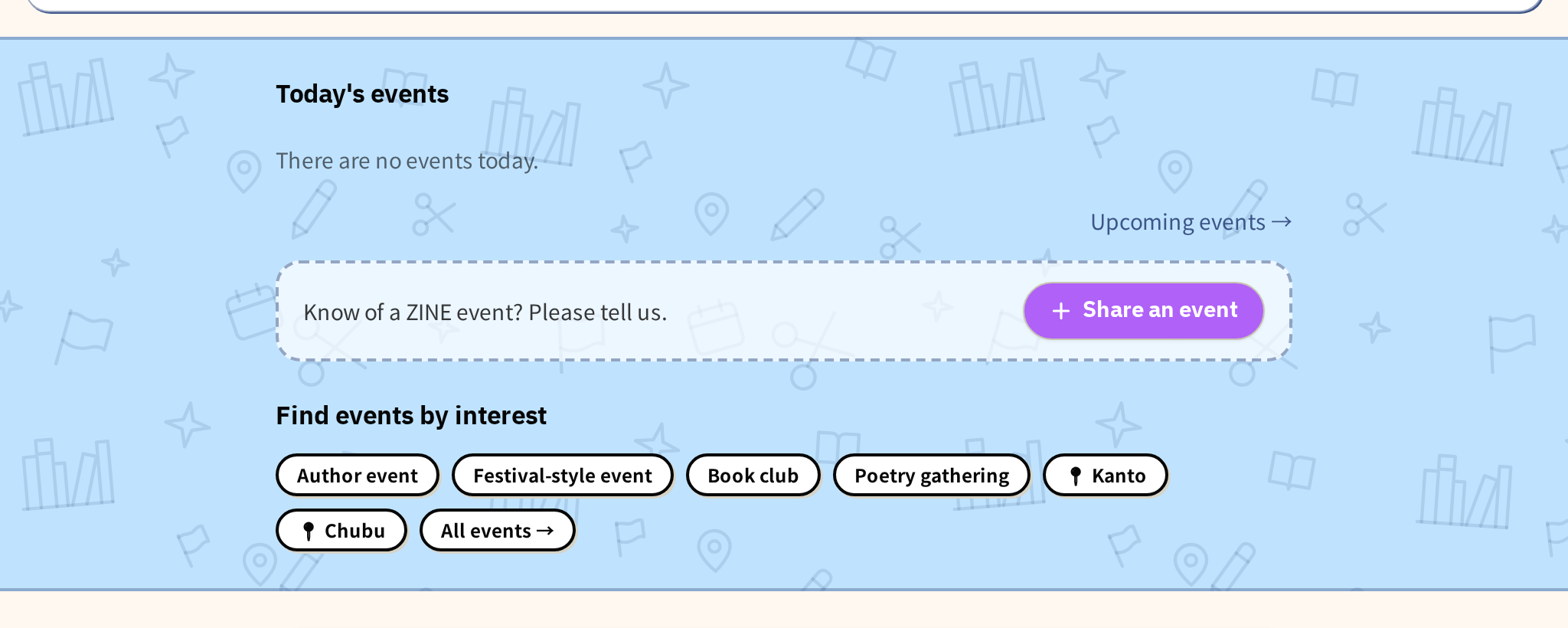
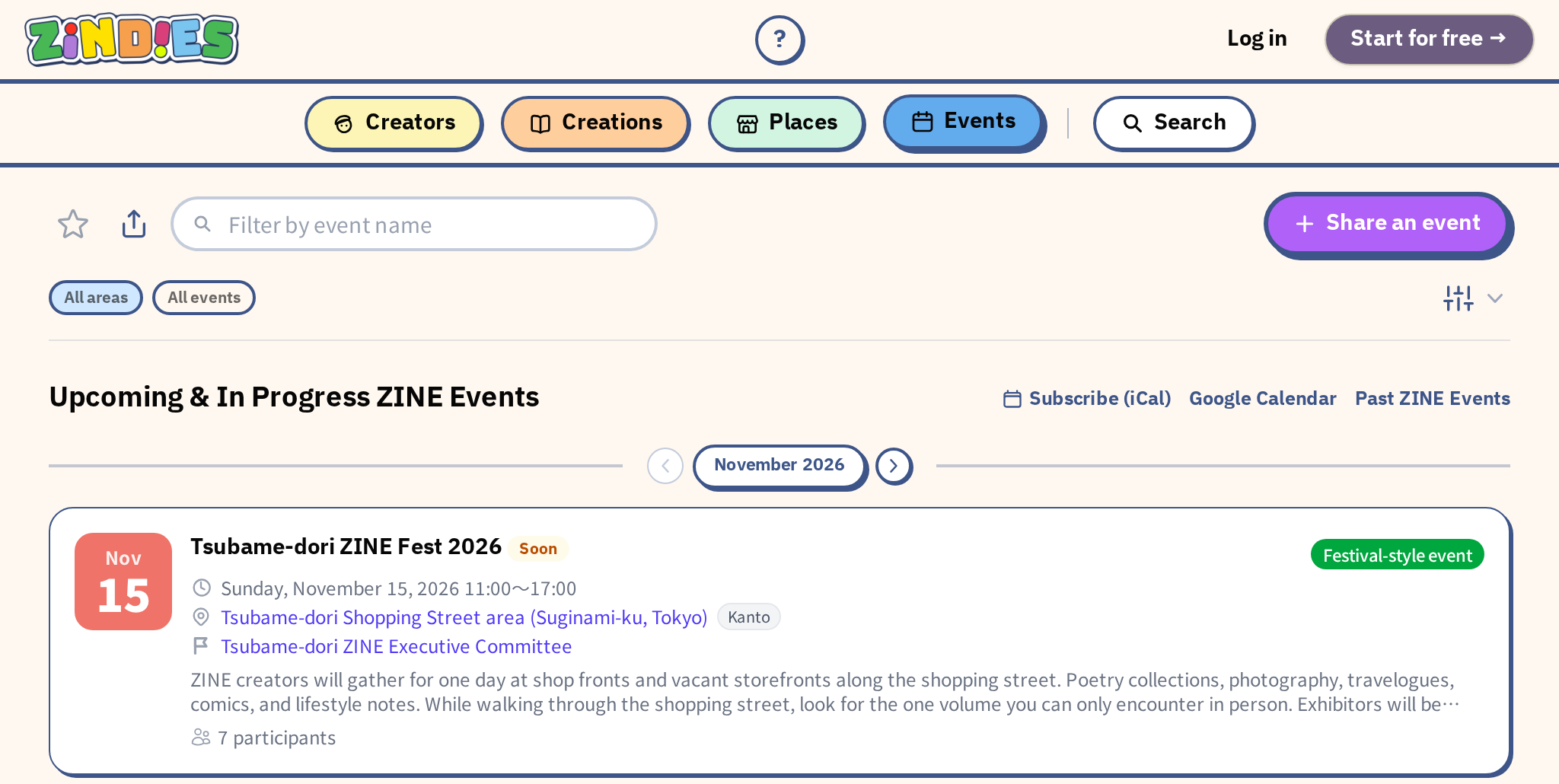
There is a "+ Share an event" button below "Today's events" on the home page, and at the top right of the event list.
The same entrance is at the very bottom of every page (the footer). To open it directly, go to zindies.co/events/suggest.
You can send something without being registered on Zindies. All you need is an email address so we can get in touch.
How to send
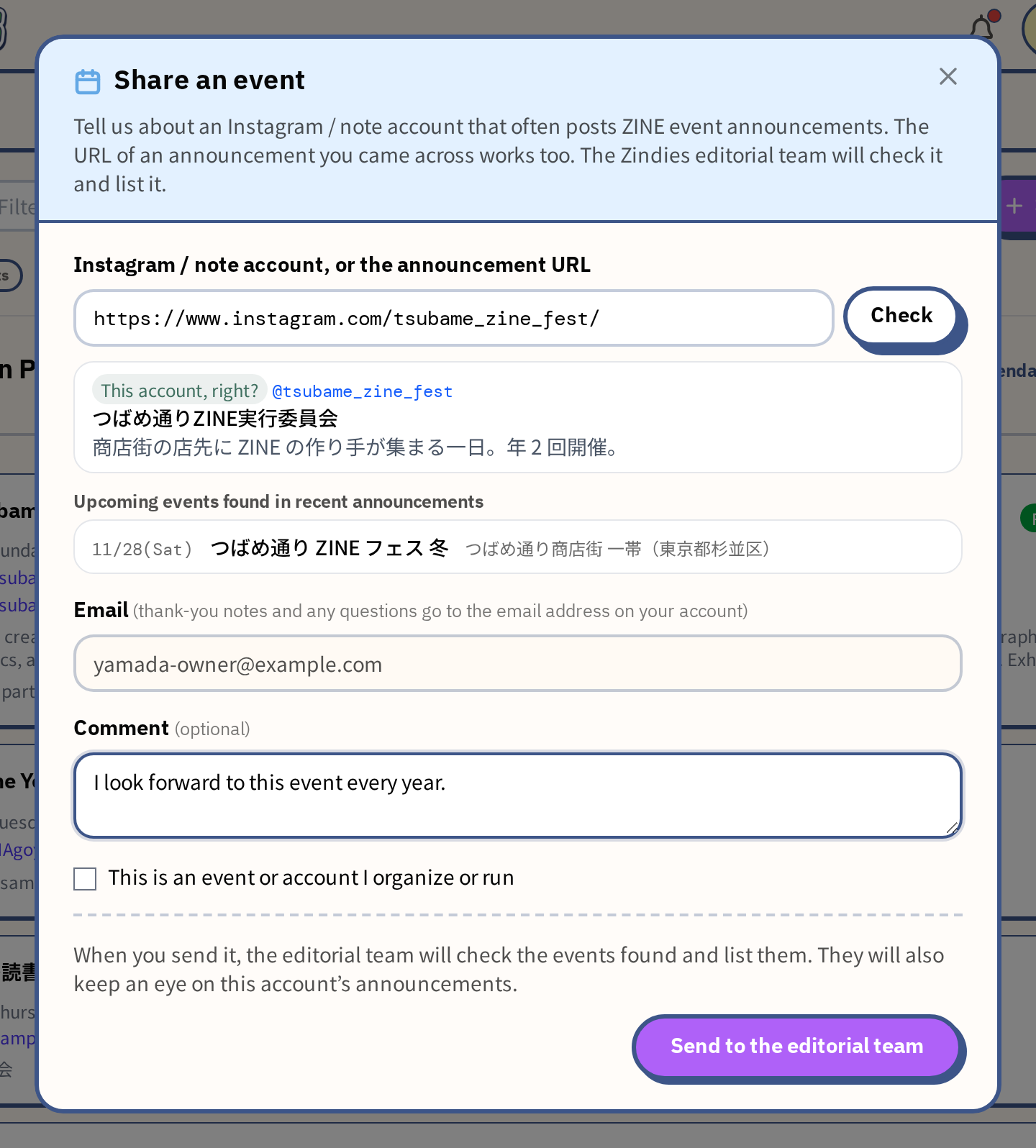
Press the button and a small window opens right there.
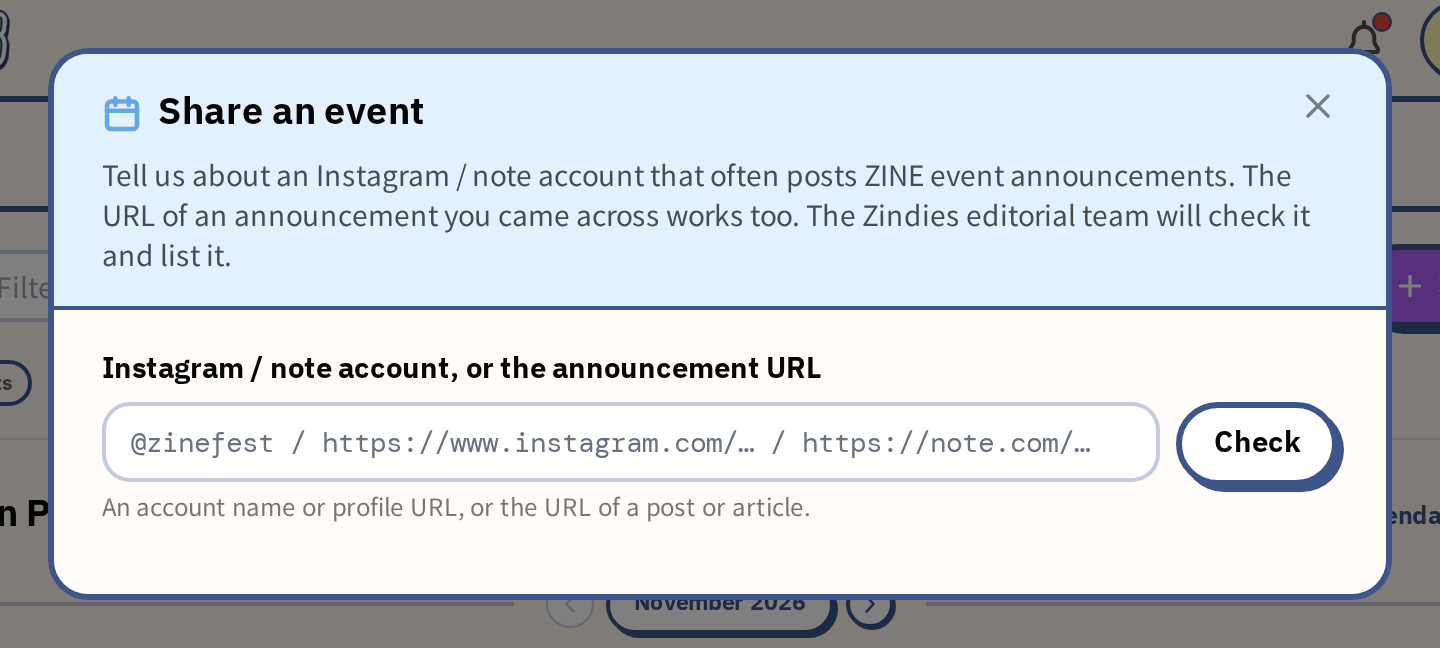
- Paste — put one of the following in the field.
- An Instagram or note account that often posts ZINE event announcements (as `@name` or as the profile URL)- The URL of the announcement you came across (an Instagram post, a note article, an event page, and so on)
- Press "Check" — Zindies goes and reads what you pasted, and comes back with "This account, right?" and "Upcoming events found in recent announcements". Events that are already on Zindies are marked "Listed".
- Add a note, and send — add your email address and a "Comment", then press "Send to the editorial team". You can send without writing a "Comment".
With some accounts and posts, no events appear even after checking. That happens when Zindies could not read the content from its side. If you send it as it is, the editorial team will go and look at the posts, but in that case it helps if you write what you know about the event in the "Comment".
- The name of the event
- The date and time
- The place (the name of the venue, or the nearest area)
It does not have to be complete. Even just the date and the place give the editorial team something to search with.
It is fine if you do not have a URL at hand. Even a sentence like "I hear there is a ZINE event at △△ on such-and-such a date" reaches the editorial team.
After you send
- Right after you send, you receive an email summarizing what we received.
- Events that were found are added to the event list after the editorial team has checked them. Nothing is published automatically just because it was sent.
- The editorial team will keep looking at announcements from the account you shared. For some accounts, Zindies will be able to find and list future announcements too.
- Some accounts, though, are ones the editorial team visits by hand, and we do miss things. If you come across the next announcement from the same account, we would be glad to hear about it again.
- Zindies is a place for events related to ZINEs, so depending on the content we may decide not to list something. Checking can also take a little time.
- We never show on the page who shared the information.
For organizers
You are of course welcome to share your own events and accounts. In that case, tick "This is an event or account I organize or run" before sending. The editorial team will follow up with you by email.
Shops and creators registered on Zindies can also register events directly themselves. If you register as an organizer, your Instagram and note announcements become Zindies events as they are. For details, see the guidance that appears when you tick the box.
For organizers who announce on Instagram or note, there is also a way for events to appear on Zindies just by posting your announcements. See "Tell us which account you announce your events on" for details.